

Self-Paced
Let learners progress at their own pace.
Scheduled Learning
Set course and lesson availability.
Flexible Pricing
Offer free or paid courses.
Have Knowledge to Share but Need a Better Way to Deliver It?
Build your online learning experience with KnowlexaX. Organize lessons, add learning resources, create quizzes, manage course access, and publish programs for your learners.
Build Courses with Structured Content
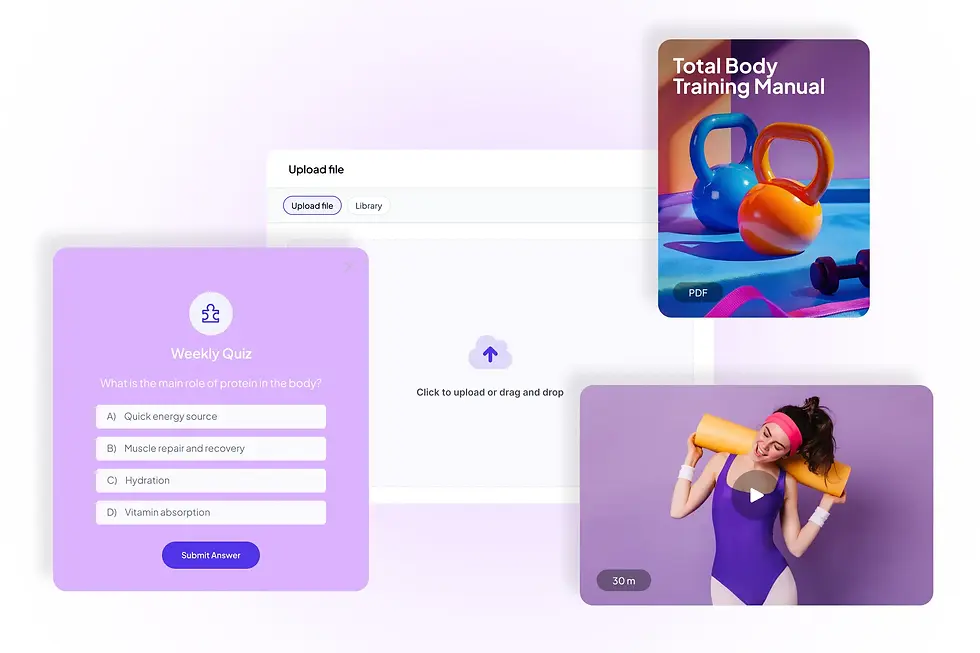
Organize your courses into modules and submodules. Add videos, articles, text, PDFs, audio files, links, and quizzes to create a clear learning journey.
Manage Course Delivery and Access
Choose self-paced or scheduled learning, set course duration, control lesson availability, and decide when your content is ready to publish.
Monitor Learning Progress
Review course completion, learner progress, quiz results, and available course performance reports to understand how learners engage with your content.
Create a More Engaging Learning Experience
Give learners structured content, opportunities to check their understanding, and access to useful learning resources throughout their courses.
A Clear Course Learning Path
Organize lessons into sections and control their order. Set content to draft, scheduled, or published as your course develops.
Quizzes to Check Understanding
Add quiz steps with supported question types, configure passing requirements and attempt limits, and review learner responses.
Learning Resources at the Right Time
Provide videos, PDFs, audio, files, articles, and links. Configure resource visibility and supported video settings for your lessons.
Choose How Learners Access Your Courses
Set up course pricing and access rules to suit different learning programs. Offer free courses or paid enrollment, and define how long learners can access course content.
Free and Paid Courses
Choose whether a course is free or paid, set its price, and configure an optional renewal price where applicable.
Flexible Course Duration
Choose unlimited access or set a time limit in days. Learners can see their access end date when a time limit applies.
Course Access Through Pricing Plans
Bundle course access into free, one-time payment, or recurring plans, with configurable access durations for included courses.


Get Paid Without the Tech Headaches
Set up your course pricing and manage learner access from KnowlexaX. Choose how learners pay and focus on delivering valuable learning experiences.
Set a pricing strategy that fits your business
Offer free or paid courses, configure course prices, and set optional renewal pricing to suit your learning programs.
Flexible payment and subscription plans
Create free, one-time payment, or recurring plans that can include access to selected courses and other supported benefits.
Manage course access and renewals
Set course access durations, define time limits, and configure renewal options for eligible courses.
Built-In Tools to Help You Sell Your Course
Creating a great course is only the beginning. KnowlexaX provides tools to organize your course offerings, collect enquiries, and guide learners toward the right program.

Organize your course offers
Create course categories and publish programs so learners can browse the learning options you make available.
Forms and lead collection
Use forms with your supported pages and workflows to collect information from prospective learners.
Connect courses with pricing plans
Bundle access to selected courses in free, one-time, or recurring plans to give learners clear enrollment options.

Manage Your Academy from One Platform
Manage your courses, learning content, and learner activity through KnowlexaX. Keep your programs organized and review learning progress from your administration tools.
Create and manage courses, organize lessons, configure pricing and access, and monitor learner progress. Use the available course and learner dashboards to review enrollments, completion, and engagement.
Everything You Need to Build and Deliver Courses
Create structured programs, manage lesson content, and configure learning experiences with practical course-building tools.

Multimedia Lesson Content
Add video, PDF, audio, file, article, text, and link content to your course lessons.

Structured Modules and Submodules
Break large subjects into organized chapters and subchapters, with individual learning steps inside each section.

Flexible Lesson Availability
Make lessons always available or set specific dates and times when learners can access them.

Course Scheduling Options
Choose self-paced or scheduled delivery when creating a program to suit your course format.

Quizzes and Knowledge Checks
Add quiz questions, mark correct answers where supported, and configure grading requirements and attempt limits.

Video Learning Settings
Configure supported video options such as free previews, autoplay, video downloads, and restrictions on skipping ahead.

Course Resources
Attach learning resources to course content and configure whether learners can view or download supported files.

Instructor Profiles
Create instructor profiles with a photo, name, email, and biography, then assign instructors to relevant courses.

Course Progress and Completion
Review learner progress and course completion information through the available course and learner reporting tools.
The Essential Tools to Manage Your Online Courses
Organized Course Management
Create, edit, preview, publish, duplicate, and manage programs from the course administration area.
Manage Learning in One Place
Configure course content, scheduling, pricing, visibility, instructors, and learner engagement settings from your course workspace.
Make Informed Course Decisions
Use available course and learner analytics to review enrollments, completion, assessment results, and learning activity.
Customer Testimonials

Rohan Mehta
Excel & Data Analytics Trainer
"Knowlexax is the backbone of my business now. I used to lose students halfway through a course because the experience felt clunky. Since switching, completion rates have gone up, refunds have gone down, and I'm finally able to focus on teaching instead of fighting with software."

Priya Sharma
Career Coach & Resume Strategist
"Before Knowlexax, I was juggling four different tools just to run one course. Now everything - my course content, my student community, my email sequences - lives in one place. I built my entire academy without hiring a developer, and my students actually finish what they start because the platform makes it so easy to stay engaged."

Anjali Verma
Wellness & Mindfulness Coach
"What sold me on Knowlexax was how fast I could get a course live. I had my first paid cohort enrolled within a week of signing up. The community feature alone has been huge - my students support each other, which means I'm not the only one keeping them motivated."
Ready to Build Your Online Course?
Bring your course ideas to life with structured lessons, flexible learning options, and tools to manage your programs and learners.
Explore the course-building features and choose the setup that fits your learning program.
Frequently Asked Questions
Learn how KnowlexaX helps you create, organize, publish, and manage online courses.
You can organize lessons using supported content types such as videos, articles, text, PDFs, audio files, links, and quizzes. Courses can be divided into modules and submodules.
Yes. When creating a course, you can choose self-paced or scheduled delivery. You can also configure lesson availability where supported.
Yes. Course settings support free or paid pricing. You can also configure an optional renewal price for eligible courses.
Yes. You can choose unlimited duration or set a time limit in days. When a time limit applies, learners can see their access end date.
Yes. You can add quiz steps, configure supported question types, set passing requirements, and limit the number of attempts.
Yes. You can create instructor profiles with their photo, name, email, and biography, and assign them to relevant courses.